
Snap anything.
Learn how it works.
Point your camera at any appliance, gadget, or product. How To Use figures out what it is and writes a clear, friendly guide — setup, buttons, warnings, and care.
3 free scans — no account needed.
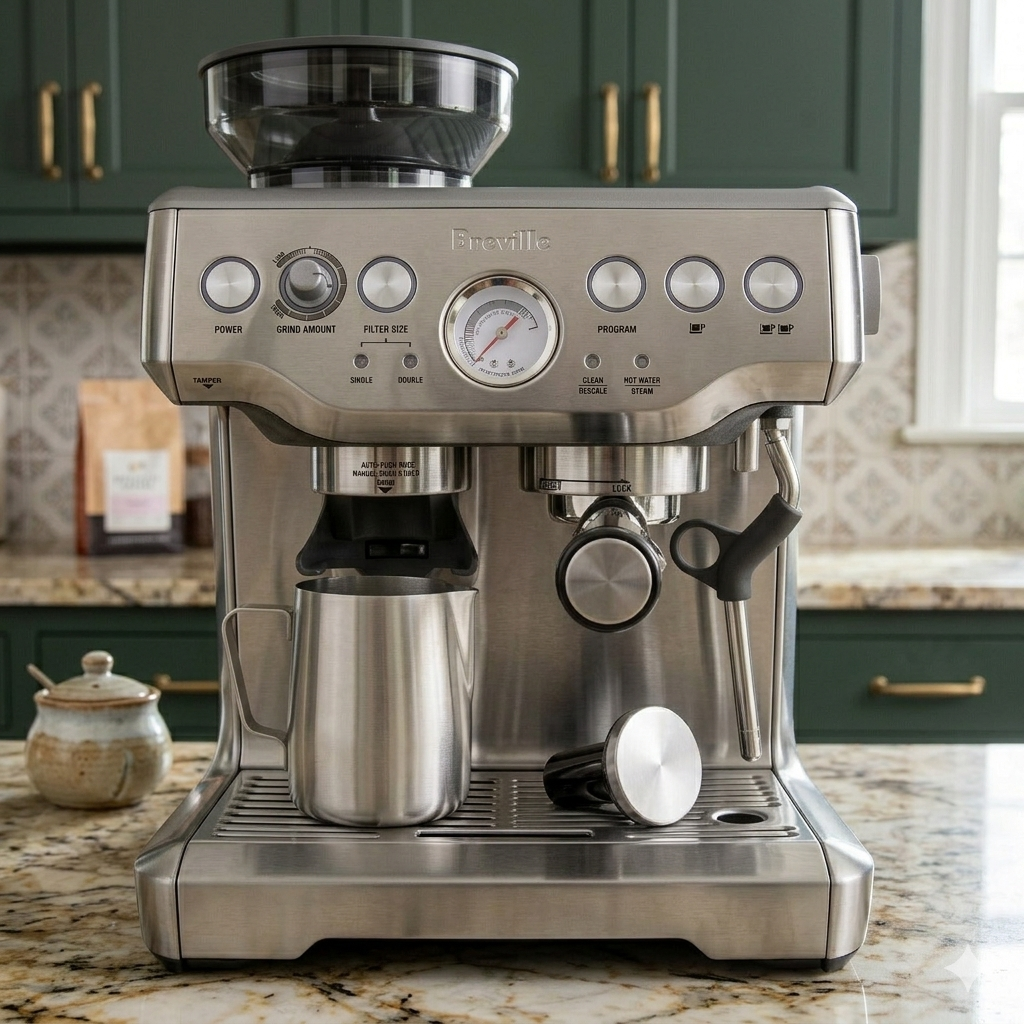
Breville Barista Express
Semi-automatic espresso machine
Getting Started
Fill the water tank at the back and the hopper on top with whole beans. Insert the portafilter, switch on, and give it 20 seconds to heat before your first shot.
Panel Controls
The grinder dial sets grind fineness; the dose slider adjusts grams. Use the 1-cup and 2-cup buttons to pull a shot, and the steam wand for milk.
Care Tips
Run a cleaning cycle every 200 shots and backflush weekly. Wipe the steam wand right after use so milk doesn't crust on it.
Everything you need to figure out a new thing
Built for everyone who's ever stared at a product and thought: okay, now what?
One photo, one guide
Skip the manual. Snap a product and get a clear explanation of what it is and how to use it — written for humans, not engineers.
Saved in your library
Every scan is kept on your device so you can come back later. Search by name, revisit steps, or pick up where you left off.
Ask follow-up questions
Not sure what a symbol means or how to clean it? Ask about the product and get a grounded answer from your guide.
Warnings that matter
Real safety notes — not legal boilerplate. Know what to avoid before you press the button.
Specific, not generic
When the brand and model are visible, we identify them. You get guidance tailored to the thing in your hand.
No account needed
Start scanning immediately. No sign-up, no passwords, no friction.
How it works
Three steps from mystery product to clear instructions.
Snap a photo
Point at any product, appliance, gadget, or package. One clear shot is all it takes.
We read it for you
The app figures out what it is and writes a clear how-to — setup, buttons, warnings, and care.
Saved in your library
Every scan is stored so you can come back to it, ask follow-up questions, and search later.